Route 06 Roblox Route 06 Official Links
Roblox page, Discord, Fandom wiki, and verified paths into this fan wiki.
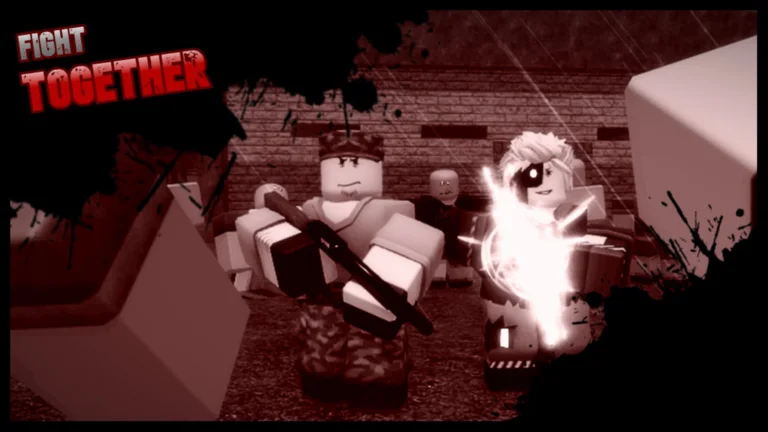
OutLaik’s Route 06 is a co-op zombie survival drive on Roblox — randomly generated roads, structure POIs, night Plague, and a military outpost finale. Alpha development moves fast, so bookmark official channels for patch timing and treat fan wikis (including this site) as guides that can lag a hotfix by a few hours.
This Official Links Hub centralizes the URLs players ask for daily: the Roblox experience page, the main Discord community, the Fandom reference wiki, and cross-links into our own Codes, Guides, and Tools sections. We also call out what does not exist yet — notably a public official Trello board — so you do not waste time on outdated fan reposts.
Roblox game page (primary official link)
Play and favorite the experience here:
- Route 06 on Roblox — official experience page by OutLaikRBLX
Use this page to:
- Launch the game on PC, mobile, or console through Roblox
- Read the alpha disclaimer and feature overview in the description
- Find Social Links (Discord and related community pointers) maintained by the developer
- Track visit counts and update timestamps after patches
This fan wiki mirrors the same universe ID configured in our site metadata — if a clone experience appears in search results, verify the creator name before spending Robux or entering codes.
Discord community (~17k members)
The Route 06 official Discord is the live hub for code drops, delay announcements, bug reports, and LFG parties during alpha. Member counts fluctuate, but the main server sits around seventeen thousand members as of 2026 community listings — large enough that sub-channels cover updates, fan art, and role pings without burying patch notes.
How to join safely: open the Roblox game page, expand Social Links, and use the Discord invite posted there. Avoid unrelated “Route 06” servers from search indexes that promise free executors or fake code generators — those violate Roblox rules and often phish accounts.
Language-specific servers (for example Spanish community hubs) exist separately from the main OutLaik-linked Discord. They can be great for regional LFG, but verify announcements against the primary server or this wiki’s Updates page before treating them as developer statements.
Fandom wiki (community reference)
- Route 06 Wiki on Fandom — community-maintained mechanics and survivor pages
Fandom covers survivor ability write-ups, zombie type lists, and mechanic notes that complement our guides. Cross-check critical numbers (token formulas, shop prices) against in-game results and our Token Calculator because Fandom editors can fall behind alpha patches.
This site (route06.wiki) is also unofficial — we aim for SEO-friendly guides, codes tables, and tools, not developer authority.
No official public Trello board
Search results often show fan-made Trello boards or outdated “official roadmap” screenshots. OutLaik has not published a verified public Trello for Route 06 at the time this page was written. Roadmap hints arrive through Discord announcements, Roblox description edits, and patch notes — not a single canonical board URL.
If someone shares a Trello link in chat, assume fan curation until the developer posts the same link on the Roblox social section. Paste unsolicited Trello URLs into browser isolation if you must open them at all.
Wiki sections on this site
Jump from official sources into actionable guides:
| Topic | Link |
|---|---|
| Promo codes & Lunacy | Codes |
| Redemption walkthrough | How to Redeem Codes |
| Beginner onboarding | Getting Started |
| Keybinds & Plague escape | Controls |
| Token math & unlock planning | Token Calculator |
| Script risks (no downloads) | Scripts Hub |
| Meta survivors | Tier List |
| Patch history | Updates |
Creator and attribution
- Developer: OutLaikRBLX on Roblox
- Genre: Co-op horror survival drive (1–5 players per run in current builds)
- Status: Alpha / early access — mechanics, prices, and map generation subject to change
Support the developer by favoriting the Roblox experience, reporting bugs through official channels, and avoiding exploit advertising in community threads.
Safety reminders for link hunters
- Never download “Route 06 mod menus” from link shorteners posted in YouTube comments.
- Never share Roblox passwords or
.ROBLOSECURITYcookies with “script verify” bots. - Prefer this wiki’s Scripts pages for category explanations, not executor installs.
- Redeem codes only through in-game
/redeemcodeor the envelope UI documented on Codes.
Related pages
- Codes — working promo strings and Lunacy rewards
- Updates — patch summaries when Discord posts move fast
- Tools Hub — token calculator and future planners
- Scripts Hub — why official progression beats risky tools
Frequently Asked Questions
Quick answers to the most common questions.
What is the official Route 06 Roblox link?
https://www.roblox.com/games/92141204718989/Route-06 — verify the creator is OutLaikRBLX before playing or spending Robux.
Is there an official Route 06 Trello?
No public official Trello board is published by the developers. Fan boards exist but are not verified roadmap sources.
How do I join the Route 06 Discord?
Use the Social Links section on the official Roblox game page for the current invite. Avoid unrelated servers promising free scripts.
Is route06.wiki an official site?
No. This is a fan wiki. Use the Roblox page and developer Discord for authoritative announcements.